Power User Approach to Postman: API Design, Testing & Automation
In our recent internal tech session, Postman and its role in high functioning dev teams got the focus.
Led by Simon Stewart, the session unpacked how Postman can move beyond being a way to check if a REST endpoint works and become a powerful platform for API design, automated testing, and even performance validation.
This post captures the key insights from that session, along with practical examples and a few honest reflections on how most of us actually use Postman (and how we probably should be using it).
The Reality: Most of Us Use Postman… Lightly
For many developers and teams, Postman is simply a nicer interface for sending API requests, essentially a GUI on top of curl.
And honestly, that works.
- Send a request
- Check the response
- Maybe tweak a header or two
Done.
But as Simon shared in the session, that’s only scratching the surface and missing out on many other features built into the tool you’re already likely using daily.
From Manual Testing to Structured API Validation
At its core, Postman allows you to test APIs from a consumer perspective, without needing access to the underlying code.
Instead of just checking:
“Does this endpoint return something?”
You can start asking:
- Does it return the correct status code?
- Is the data structure valid?
- Are the values within expected ranges?
- Is the response fast enough?
This is where Postman starts becoming far more than a simple request tool.
Key Capability #1: Automated Tests (Without Heavy Setup)
One of the most valuable features highlighted was Postman’s built-in testing capability.
You can write lightweight tests directly inside the tool to validate responses.
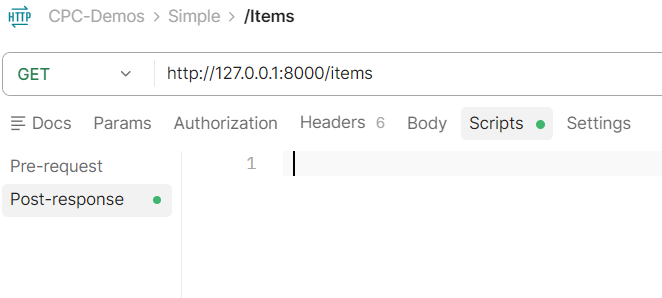
To get started, take a look at the “Scripts” tab in your Postman request view.
It’s here that you can write test logic that ranging from simple to complex, depending on the requirement.
For example:
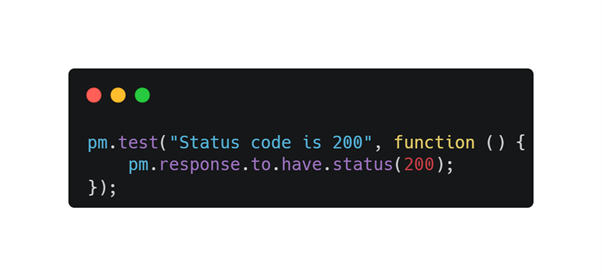
Assert that a response returns HTTP 200
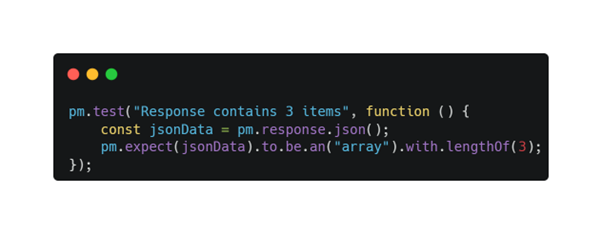
Validate that a certain number of items is returned
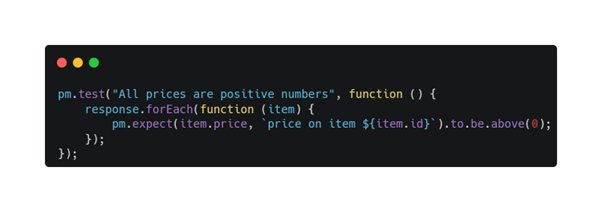
Do all prices in the response have positive values?
All of this is done using simple JavaScript, no complex setup, no external frameworks.
This lowers the barrier significantly, especially for teams that:
- Don’t have dedicated QA resources
- Need quick validation before deployment
- Want to standardise API behaviour
Key Capability #2: Environment & Variable Management
Instead of hardcoding URLs or tokens, Postman allows you to define environments (e.g. Dev, Test, Prod).
This means:
- You can switch between environments instantly
- Reuse the same tests across multiple systems
- Keep configurations clean and maintainable
It’s a small feature, but one that makes a big difference when working across multiple deployments.
Key Capability #3: Dynamic Test Data with Faker
Generating realistic test data is often a pain.
Postman solves this by including a built-in version of the Faker library, allowing you to generate things like:
- Names
- Addresses
- IDs
- Random values
This makes it easy to:
- Simulate real-world scenarios
- Avoid repetitive static data
- Run more meaningful tests
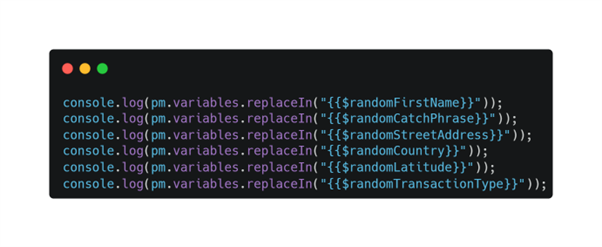
Here are some examples of what “fake” data is available, without the need to import another library or write the code yourself.
Key Capability #4: Schema Validation (The Game Changer)
One of the most important takeaways from the session was schema validation.
Instead of only checking if data exists, you can validate:
- Required fields
- Data types
- Structure of the response
- Whether additional fields are allowed
This ensures your API:
- Doesn’t silently break clients
- Maintains consistency across versions
- Catches issues early
It’s a step closer to treating APIs as contracts, not just endpoints.
This is where the power of the libraries built into Postman start to show their strength.
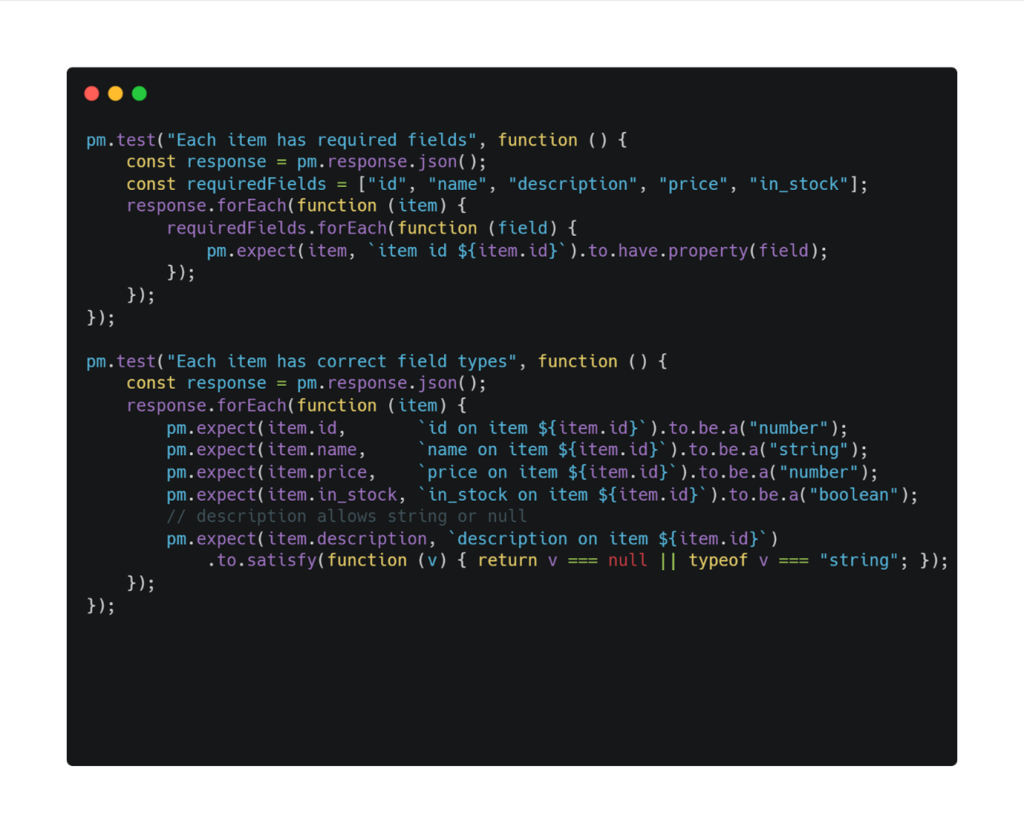
You could do the check in a manual way like this.
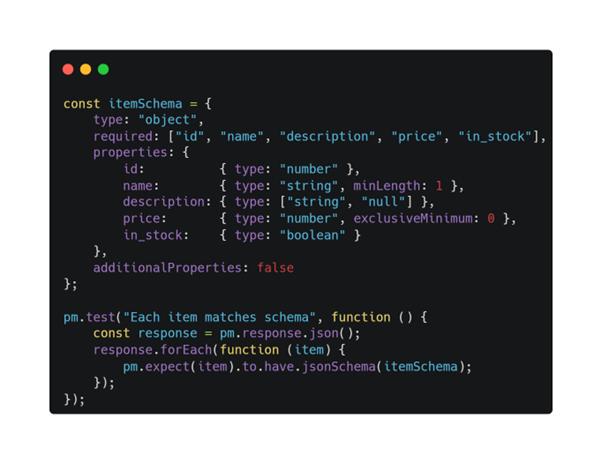
And in some cases, this may be OK, but Postman has a built in way to validating against the JSON Schema in a more declarative way – think of it like zod except using a JSON schema representation instead of a fluent interface.
Here’s the preferred way to validating a response schema.
Toggling the “additionalProperties” value can change the behaviour from allowing new properties to failing if additional properties are found. This will have an impact depending on how you have structured your API versioning, so keep that in mind.
Key Capability #5: Performance & Non-Functional Testing
Postman also allows you to test beyond functionality.
You can validate:
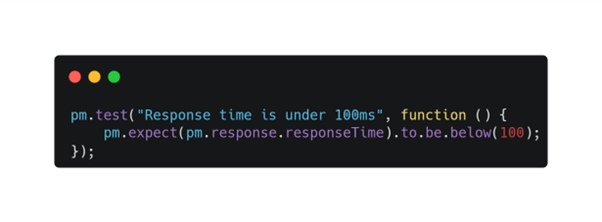
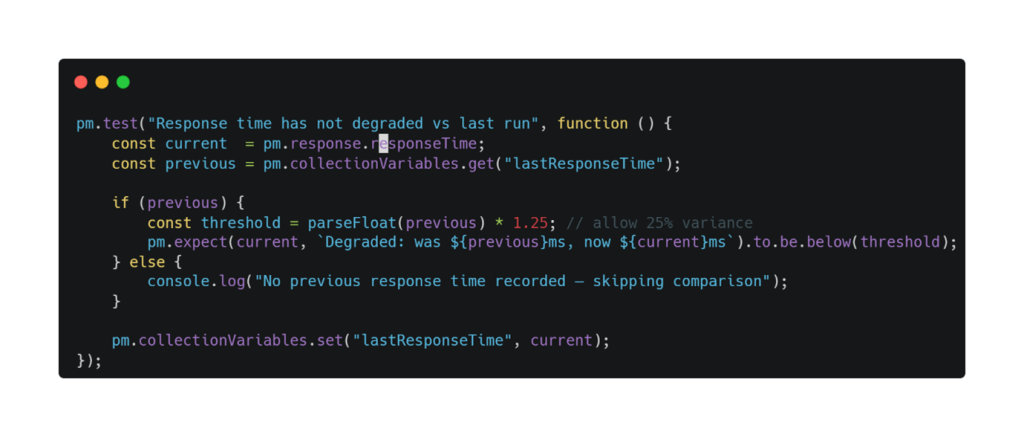
Response time (e.g. must be < 100ms)
Using Postman’s variables, which persist between sessions, you could even track trends over time like this:
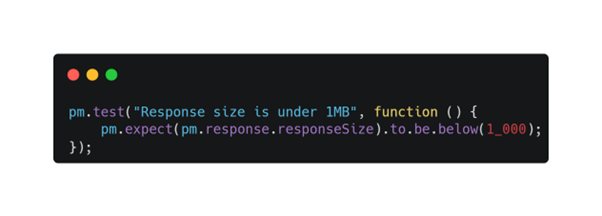
Response size (to avoid bloated payloads)
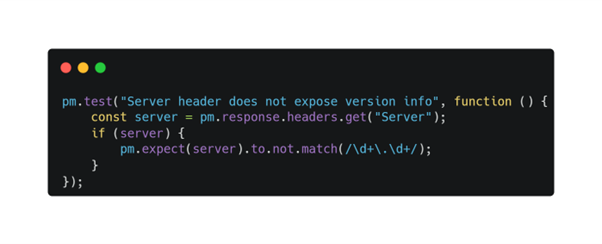
Headers (including security-related ones)
This is a simplistic version of what you may need. So many server-side frameworks broadcast themselves in headers which doesn’t help your security posture at all.
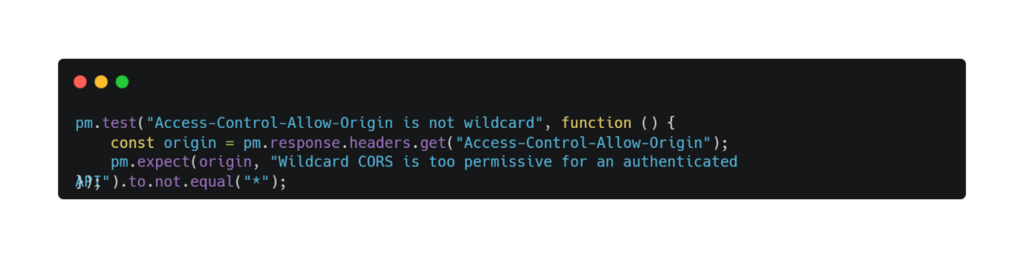
You can also check for overly permissive CORS headers. This often slips through between environments.
This is especially useful for:
- CI/CD pipelines
- Health checks in production
- Preventing performance regressions
Key Capability #6: Visualisation (Optional, But Powerful)
A lesser-known feature is Postman’s visualiser, which allows you to turn API responses into:
- Tables
- Charts
- Custom HTML dashboards
While not always necessary, it can be useful when:
- Presenting data to non-technical stakeholders
- Debugging complex responses
- Exploring API outputs visually
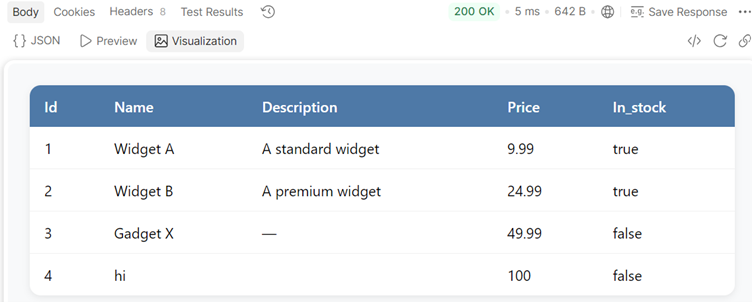
Here’s a quick look at a simple table to shows the response data
Pretty simple, but it can be useful in highlighting problems in the response. Your tests will still run in the background so think of this as fancy console logs.
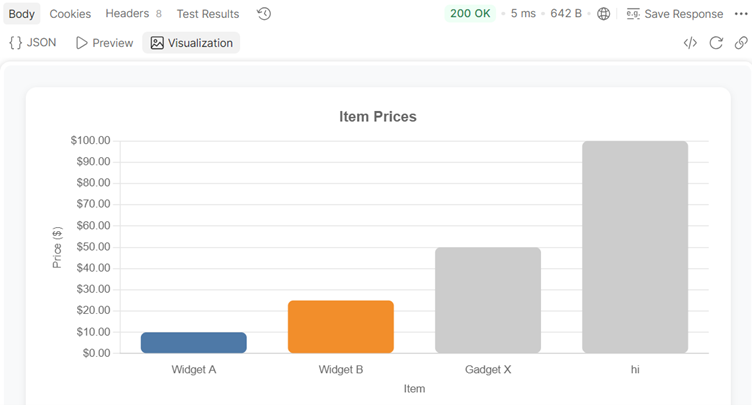
Graphs are also possible as can easily import JavaScripts libraries like chartjs.
In fact, with enough free time, you could do something crazy like this – animations included!
Taking It Further: Automation with CLI Tools
While the Postman UI gives a lot of power, behind the scenes the “collection” (think of it as a solution containing all your tests, endpoints, variables, visualisations) is where the actual value lies and it’s available to run via a CLI too, which opens up several interesting options.
Using tools like Newman (Postman’s open source CLI runner), you can:
- Run collections from the command line
- Integrate tests into CI/CD pipelines
- Automate validation after deployments
This is where Postman shifts from a manual tool to part of your engineering workflow.
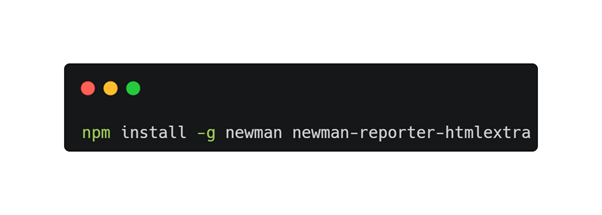
First step is to install newman
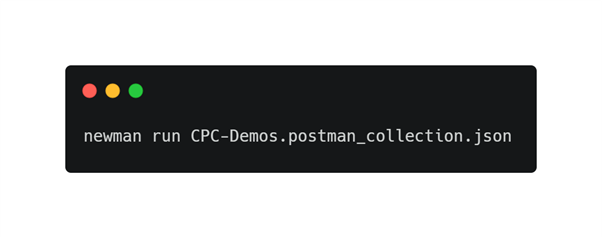
Next, you can run your collection
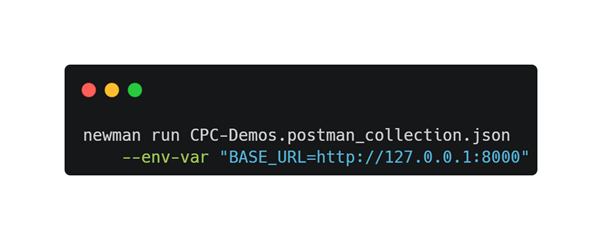
If you want to pass in variables (and you probably will), then try this
The CLI will output results, which you can pipe via stdout to any other programs that you want to verify the results.
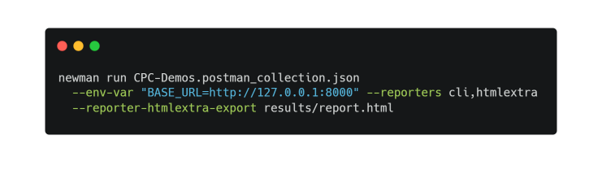
If you want to view the results in a nicer format, you can use one of the “reporters” available to Postman.
This gives you a valuable report which could be emailed to the team.
A Practical Warning: Be Careful with Secrets
One important caution raised during the session:
When exporting Postman collections, sensitive data (like tokens) can accidentally be included.
This becomes a real risk when:
- Sharing collections
- Pushing to Git repositories
- Collaborating across teams
Best practice:
- Use environment variables
- Avoid hardcoding secrets
- Be mindful when exporting or sharing
It’s Not About the Tool, It’s About How You Use It
One of the most honest reflections from the session was this:
Most of us don’t fully use the tools available to us.
Postman is a perfect example.
Used simply, it’s helpful.
Used properly, it becomes a powerful testing and automation platform.
Key Takeaways
- Postman is more than a request tool, it’s a testing framework
- Built-in scripting makes API validation accessible to any team
- Schema validation helps enforce API contracts
- Performance and security checks can be built into everyday testing
- CLI tools enable full automation in CI/CD pipelines
About the Presenter
Simon is a Principal Consultant at CyberPro Consulting (Pty) Ltd, he is a seasoned leader in the tech space and a CEH Master with an interest in cybersecurity and focus on AI. He also founded the JavaScript in South Africa conference.